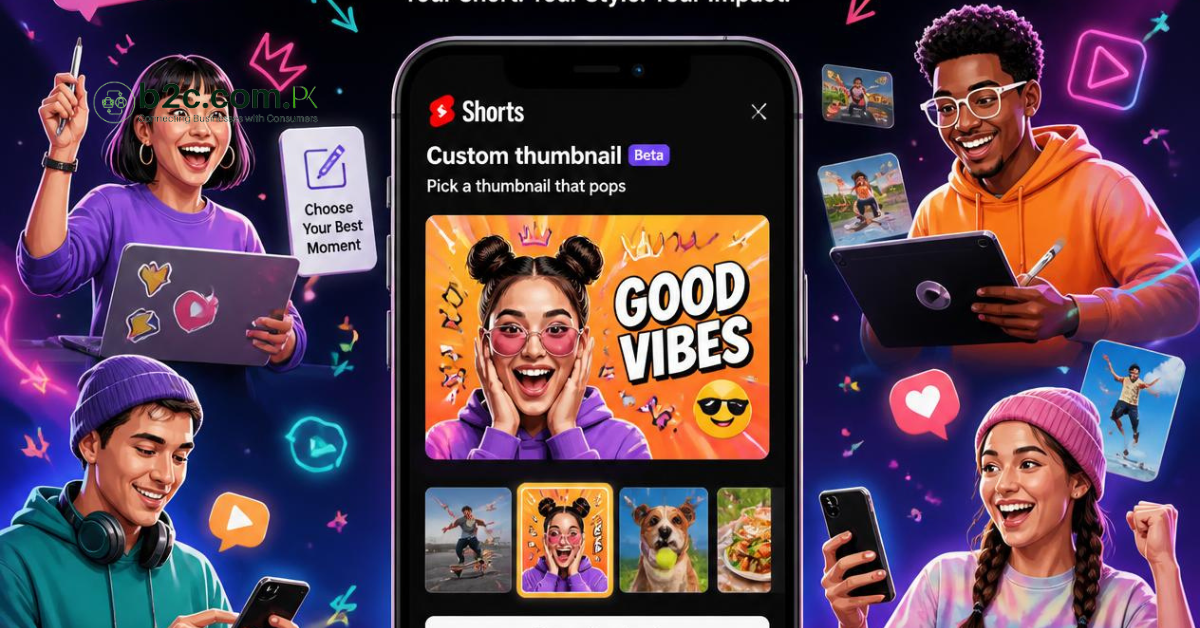
YouTube has introduced one of the most requested features for Shorts creators. After years of feedback from the creator community, the platform is rolling out the ability to add custom thumbnails to YouTube Shorts.
Until now, creators had very little control over how their Shorts appeared on YouTube. The platform automatically selected a frame from the video, which often resulted in thumbnails that were not attractive or suitable for branding. With this latest update, creators can now present their Shorts more professionally and improve how their content appears to viewers.
If you create YouTube Shorts for your business, brand, or personal channel, this update could help increase visibility and attract more clicks.
What Is the New YouTube Shorts Thumbnail Feature
The new feature allows eligible creators to choose how their Shorts appear before viewers click on them.
Depending on availability, creators can:
- Upload a custom thumbnail for a Short.
- Choose the best frame from the video.
- Present their Shorts with consistent branding.
This gives creators greater control over the first impression their content makes.
Why This Update Is Important
A thumbnail is often the first thing viewers notice before deciding whether to watch a video. Even if the content is excellent, an unattractive thumbnail can reduce the chances of someone clicking on it.
With custom thumbnails, creators can:
- Make their videos look more professional.
- Maintain a consistent brand identity.
- Highlight the main topic of the video.
- Increase viewer interest.
- Improve the overall appearance of their YouTube channel.
For businesses and content creators, this is an important improvement that supports better content presentation.
Who Can Use the Feature
At the moment, YouTube is rolling out this feature gradually.
Initially, it is available to creators who are part of the YouTube Partner Program and have monetized channels. As with many YouTube updates, the feature is expected to expand to more users over time.
If you do not see the option yet, it may become available in a future update.
Managing Shorts Thumbnails on Mobile and Desktop
YouTube has also improved how creators manage thumbnails across different devices.
On desktop through YouTube Studio, creators can update thumbnails for previously uploaded Shorts. The platform may also suggest several frames from the video, allowing creators to choose the one that best represents their content.
On the YouTube mobile app, creators can continue selecting frames from their videos. Eligible users who receive the latest update can also upload custom thumbnails directly from their devices.
These improvements make it easier to manage Shorts regardless of where you edit your content.
Will a Better Thumbnail Increase Views
A strong thumbnail can help attract more attention, but it is only one part of a successful YouTube strategy.
To improve the performance of your Shorts, you should also focus on:
- Creating a strong hook in the first few seconds.
- Delivering useful or entertaining content.
- Using clear titles with relevant keywords.
- Posting consistently.
- Encouraging viewers to watch until the end.
A great thumbnail encourages people to click, while quality content encourages them to keep watching.
Why This Matters for Businesses and Digital Marketers
Businesses are using YouTube Shorts more than ever to reach new customers. A professional thumbnail can help businesses stand out in competitive industries and strengthen their online branding.
This feature is particularly valuable for:
- Business owners promoting products or services.
- Digital marketing agencies.
- Content creators.
- Educational channels.
- Technology reviewers.
- Personal brands.
A consistent visual identity can make a channel look more trustworthy and recognizable.
Tips for Creating Better YouTube Shorts Thumbnails
To make the most of this feature, consider these best practices:
- Use a clear, high quality image.
- Include a close up face when appropriate.
- Keep text short and easy to read.
- Use consistent colors and branding.
- Make sure the thumbnail accurately represents the video.
Avoid misleading thumbnails, as they can reduce viewer trust and negatively affect long term channel growth.
Conclusion
The introduction of custom thumbnails for YouTube Shorts is a significant update for creators. It gives users greater control over how their content is presented and helps make Shorts look more professional.
Although an attractive thumbnail can improve click through rates, long term success still depends on creating valuable content that keeps viewers engaged.
As YouTube continues to invest in Shorts, features like custom thumbnails demonstrate the platform's commitment to helping creators build stronger brands and reach larger audiences.